AI portfolio website builder
Turn your LinkedIn PDF into a portfolio you can fact-check first
Storypage writes an editable professional site from your LinkedIn PDF. The first version stays private while you check the claims, choose from eight designs, and decide what deserves to be published.
Updated August 17, 2026
A LinkedIn PDF is required. A headshot, links, work samples, and extra context are optional.
What the AI should actually do
Reduce blank-page work without taking ownership of your facts.
01 · SOURCE
Start with evidence
Use material you already recognize, such as your LinkedIn PDF, work samples, links, and context. A prompt alone gives the system too much room to guess.
02 · DRAFT
Shape a first story
Turn the source into a headline, About section, selected work, experience, skills, writing, recommendations, and a clear next step when the material supports them.
03 · REVIEW
Leave the decision to you
Keep the generated page private while you correct the writing, remove weak sections, change the design, and choose whether anything should become public.
How to choose an AI portfolio builder
Choose by the work you want to avoid, not by the word “AI.”
The category includes prompt-to-code tools, visual website builders, gallery makers, and professional-profile generators. They solve different jobs. A useful choice starts with your source material, the control you need, and the person who will open the finished link.
If you already have a polished case-study narrative and want to design every interaction, a broad builder may fit. If your information is trapped in a professional profile and you need help turning it into a coherent first draft, a source-led builder is the more direct route.
APPROACH
Source-led professional site
BEST WHEN
Your LinkedIn profile contains the career material, but not the finished story.
WATCH FOR
A private review boundary, editable claims, proof sections, and a clear publication control.
APPROACH
Prompt-to-site builder
BEST WHEN
You can describe the site, structure, and interactions you want in detail.
WATCH FOR
How much editing, hosting, maintenance, and design judgment remain after generation.
APPROACH
Visual website builder
BEST WHEN
You want direct control over layout, pages, animation, forms, and branding.
WATCH FOR
The time required to write the content, select proof, and keep every page consistent.
APPROACH
Portfolio gallery maker
BEST WHEN
Images, artifacts, or finished projects are the main reason someone visits.
WATCH FOR
Whether it can explain your contribution, experience, services, and contact path.
From profile to portfolio
The first draft should connect the facts, not copy your LinkedIn profile line by line.
LinkedIn organizes information for its own profile format. A useful portfolio reorganizes that material around the decision a recruiter, prospective client, collaborator, or reader needs to make. That means selection matters as much as generation.
Name the goal
A site for finding clients should emphasize services, selected work, recommendations, and a contact action. A job-search site should make the target role and relevant contribution easy to verify.
Choose the proof
A title is not proof. Projects, work samples, writing, recommendations, and clearly attributed outcomes help a reader understand what you personally did.
Write the connective tissue
The headline and About section should explain the thread across your experience. They should not repeat a list of roles or invent a grander identity than the source supports.
Make one next step obvious
Use one primary contact destination or action. A portfolio is most useful when the right reader can understand your relevance and begin a conversation without solving a navigation puzzle.
Private review checklist
Treat every generated sentence as a draft until you can defend it.
An AI-generated site can sound fluent while getting the important part wrong. Review is not a final polish. It is the step that turns assembled material into a page you are willing to send to another person.
- 01
Verify the headline
Does it describe work you actually do or a role you are genuinely pursuing? Remove inflated adjectives and claims that would feel uncomfortable in a live conversation.
- 02
Separate your contribution from the team result
For each project, identify what you personally owned. Keep only outcomes that your source material supports and add context when a number belonged to a larger group.
- 03
Check names, dates, links, and recommendations
Small factual errors damage trust quickly. Open every link, confirm the order of roles, and make sure a recommendation still carries the correct author and relationship.
- 04
Remove unsupported or private material
Delete client details you cannot share, stale experience that distracts from the goal, duplicated claims, and empty sections. More content is not the same as more credibility.
- 05
Preview the page as the reader
Scan the first screen, selected work, and contact action in that order. If the purpose becomes clear only after reading every paragraph, tighten the opening before publishing.
When Storypage is the better fit
You want AI to organize your professional material before you choose a design.
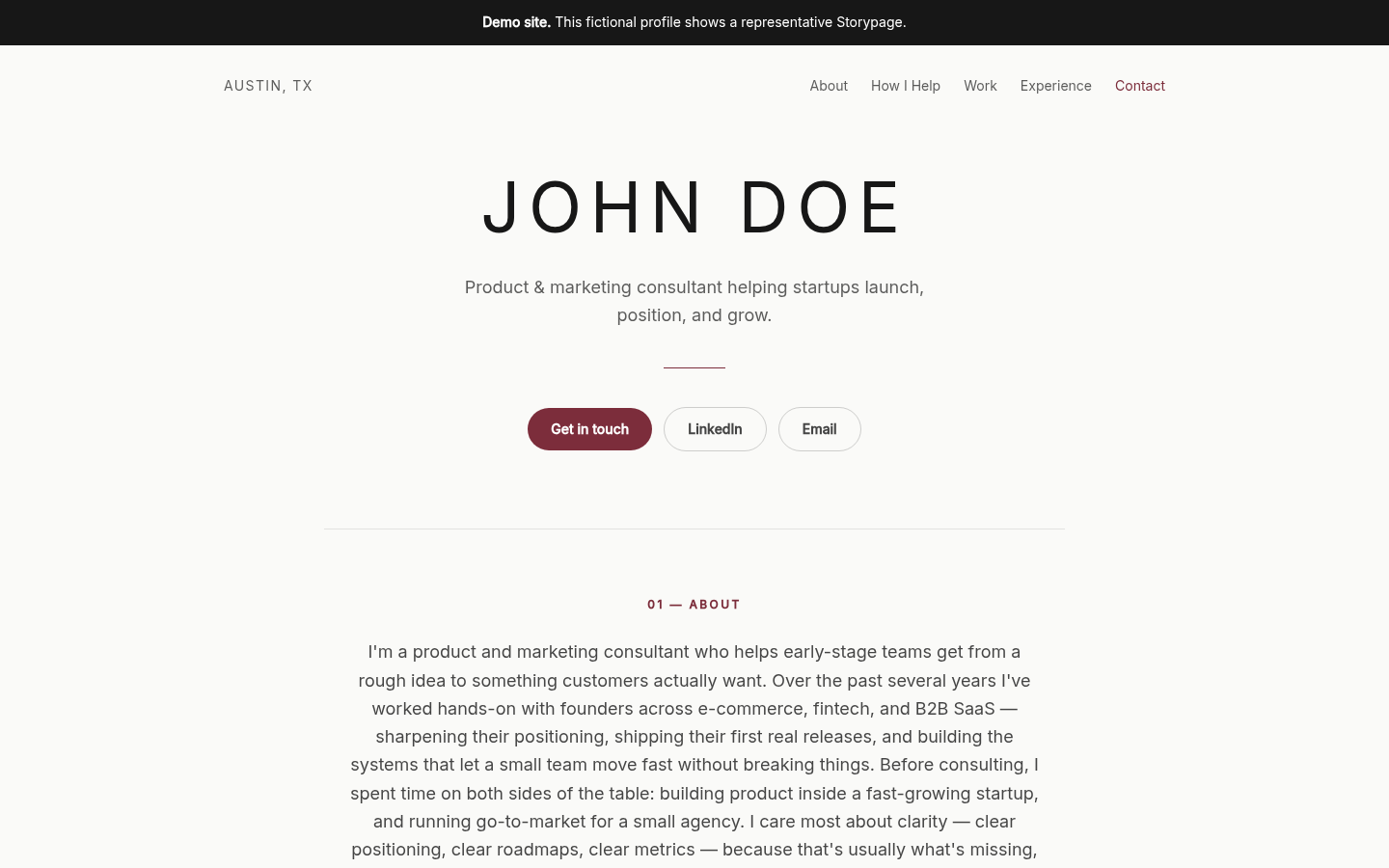
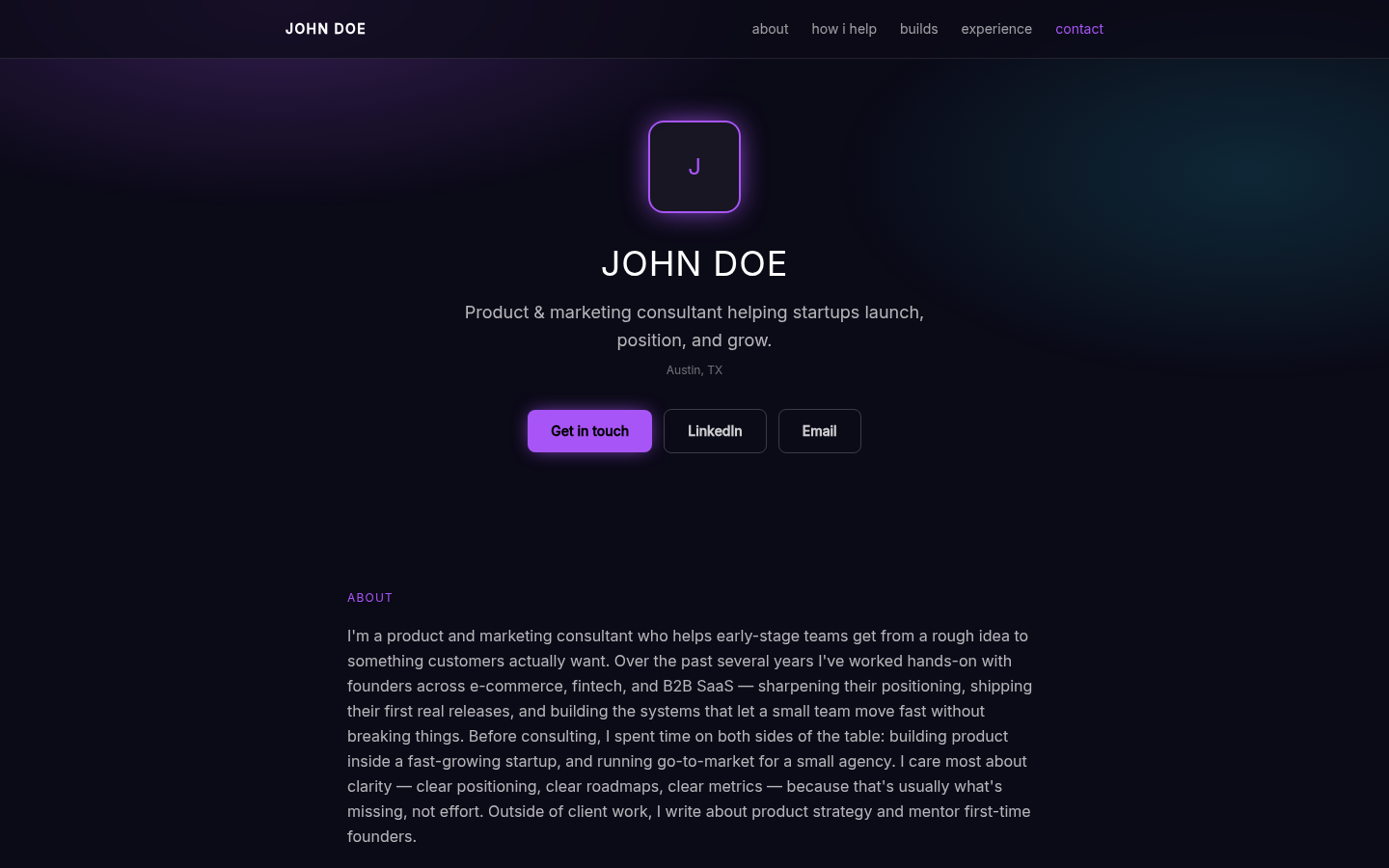
Storypage requires a LinkedIn PDF, accepts optional supporting material, and creates an editable draft that remains unavailable to anonymous visitors. You can revise the identity, About copy, services, projects, writing, recommendations, experience, education, skills, social links, colors, contact action, and selected design.
All eight designs are available during review. Saving does not publish. If you already have a live Storypage, later draft edits stay separate from the public version until you publish the reviewed changes.
Compare all eight Storypage designsWhen another builder is the better fit
You need a flexible website system or a visual-first gallery.
Choose a general AI or visual website builder when you need ecommerce, many pages, custom code, detailed animation, unusual integrations, a large publication, or complete control over every component. Choose a gallery-first portfolio tool when the work is primarily photography, illustration, motion, or other visual artifacts and the professional narrative is secondary.
Storypage is deliberately narrower. It is for one source-grounded professional story, one public profile, and a clear contact path. Consultants can see the structure in the consultant website examples. Job seekers can compare the same designs in the resume website examples.
A practical Storypage flow
Bring the source, review the story, then decide whether to publish.
Upload the LinkedIn PDF
Choose the goal for the site and add optional context, links, work samples, or a headshot only when they improve the source.
Edit the private draft
Check the claims, strengthen the proof, remove filler, change the contact action, and switch among eight designs with your real content in place.
Publish when ready
Preview the finished page and publish only after you are comfortable sharing it. You can later take the public page offline without deleting the draft.
Questions before you build
AI portfolio website builder FAQ
Can AI build a portfolio website from my LinkedIn profile?
Storypage uses a LinkedIn PDF as the required source for an editable private draft. You can add optional context, links, work samples, and a headshot, then check the writing before publishing.
Should an AI portfolio website be public immediately?
No. AI can misread context or overstate a result. A private review step lets you verify the headline, project contribution, dates, recommendations, contact details, and every other claim before the page is public.
What should an AI portfolio website include?
A useful professional portfolio usually needs a specific headline, an About section, selected work, relevant experience, skills, recommendations or writing when available, and one clear contact action. Empty sections should stay out.
When is a general AI website builder a better choice?
Choose a general builder when you need ecommerce, custom code, complex animation, many pages, a large publication, unusual integrations, or complete control over every layout detail. Storypage is designed for one professional story.
Start with the professional material you already have
Turn your LinkedIn PDF into a private portfolio draft.
Review every claim, choose from eight designs, and publish only when the story and proof are ready to represent you.