Storypage for independent consultants
Should your proposal include a personal site?
Use the proposal for scope, timing, and deliverables. Add a Storypage when the buyer also needs one place to understand your experience, selected work, and how to reach you.
- Private until you publish
- Edit every claim and link
- Choose from eight designs
Start with your LinkedIn PDF. A headshot, work samples, and extra context are optional.
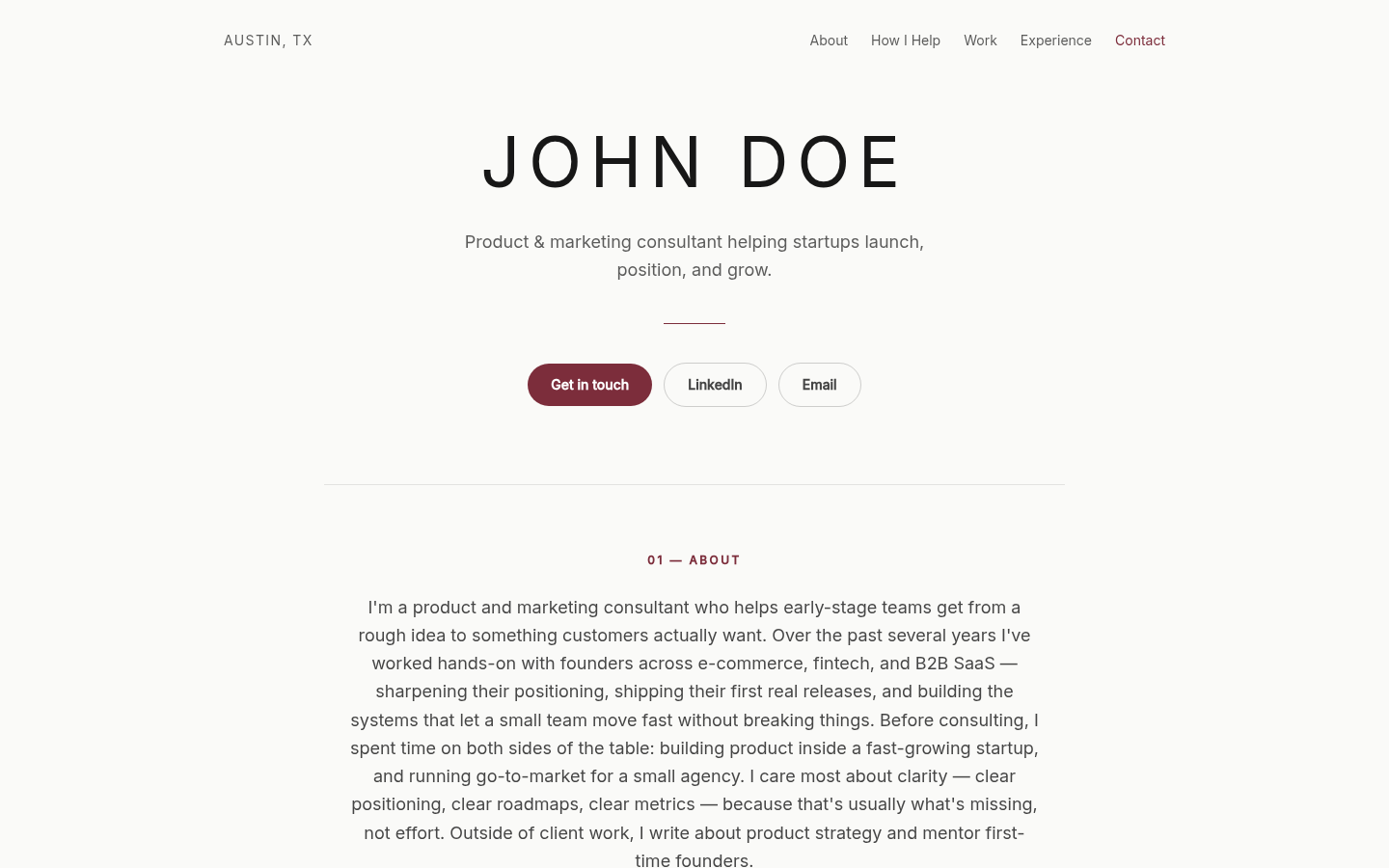
The moment after you press send
Give your proposal somewhere useful to lead.
Your proposal carries
Scope, timing, and deliverables.
Your Storypage carries
Your experience, work, and a way to reach you.
Ready after your first publish
Take the introduction straight into your proposal.
Storypage gives client-focused owners a short note with their live link. Copy it, tailor it to the client, and place it beside the proposal.
Add it to your proposal
Copy a short introduction with your live link, then edit it to fit the client.
I've included a short introduction to my background and work alongside this proposal: https://storypage.me/sites/your-name-example
From profile to personal site
Start with what you already have.
Your LinkedIn export provides the foundation. A few optional materials make the finished site more personal.
- 01
Export your LinkedIn PDF
Use LinkedIn's Save to PDF option. No login sharing and no profile scraping.
- 02
Add the work that matters
Share a headshot, portfolio links, case studies, writing, or a short note about what you want to be known for.
- 03
Review your private draft
Storypage writes and styles your site. Check every claim and your main contact action, then click Publish when it's ready to share.
A clearer place to introduce yourself
Built around the story behind your work.
Your finished personal site can bring the useful parts of your professional story into one place.
- What you do
- How you help
- Selected work
- Experience
- Contact details
Build the page privately. Share it only when it is ready.
Your LinkedIn PDF creates the first draft. Review the writing, proof, contact action, and design before you publish.
Your generated site stays private while you review it. Nothing becomes public until you click Publish.
Build my private Storypage