A practical format choice for independent consultants
Storypage, LinkedIn, or PDF bio: what should accompany a proposal?
Choose the format that gives this buyer the missing context. A familiar profile, a fixed document, and a curated personal site solve different jobs.
Updated
Create a private draft from your LinkedIn PDF. Nothing becomes public until you publish.
A familiar hosted profile link
Storypage
A reviewed personal site link
PDF bio
A fixed document attachment
The short answer
Use the format that fills the gap.
Choose LinkedIn
when the recipient wants a familiar professional profile and broad background context.
Choose a Storypage
when you want to curate services, proof, writing, recommendations, and one contact route behind a stable link.
Choose a PDF bio
when the process calls for a file, offline review, or a fixed snapshot that can be circulated as an attachment.
This is a product-factual comparison, not buyer-derived wording. Storypage's three consultant interview invitations still have no visible replies.
Five practical differences
Compare the format, not a promised result.
No format guarantees trust or a signed engagement. Compare what you can control before the proposal leaves your hands.
Control
STORYPAGE
Choose the design, edit the visible sections, publish, unpublish, and republish the page.
LINKEDIN LINK
Edit a professional profile that remains hosted and presented inside LinkedIn.
PDF BIO
Control the file and layout you create. A recipient may keep any version you send.
Proof depth
STORYPAGE
Combine positioning, services, selected work, writing, recommendations, experience, and one contact action.
LINKEDIN LINK
Give the recipient one familiar professional profile link for broader background context.
PDF BIO
Select exactly the biography and credentials that fit the available pages.
Review before sharing
STORYPAGE
Review a private draft in the selected design. The public URL opens only after Publish.
LINKEDIN LINK
Review profile edits in the context of the hosted profile before sharing its URL.
PDF BIO
Review the finished file before attaching or uploading it.
Sharing
STORYPAGE
Add one public URL to the proposal email or cover note after publishing.
LINKEDIN LINK
Add the existing LinkedIn profile URL.
PDF BIO
Attach a file or add it wherever the proposal process accepts documents.
Maintenance
STORYPAGE
Edit the private draft and publish the update to the same site URL.
LINKEDIN LINK
Update the hosted profile and keep sharing the same profile URL.
PDF BIO
Create and resend a new file. Previously sent copies stay unchanged.
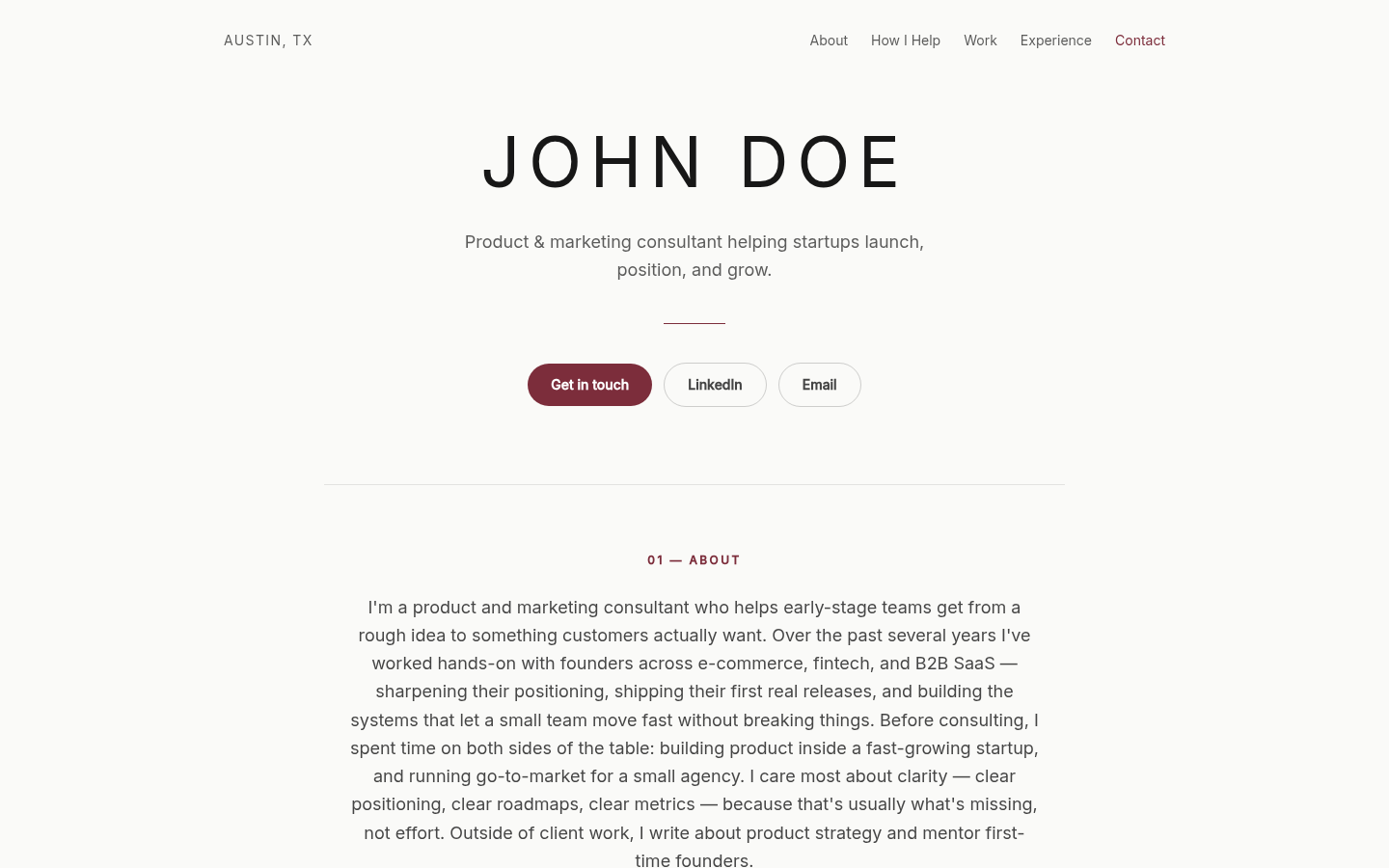
Where Storypage differs
Review the finished site in private before the URL opens.
Storypage turns a LinkedIn PDF into an editable private draft. You can check the generated claims, proof, links, contact action, and selected design before choosing Publish.
- 1. Build privatelyAnonymous visitors cannot open the draft URL.
- 2. Review the whole pageDraft saves do not change an already published page.
- 3. Publish or take it offlineYou control when the public Storypage is available.
You do not have to pick one forever
Keep each item in one clear role.
A proposal can include more than one format, but every extra item should answer a distinct question.
Making the same choice for a job search? Read when a personal website adds context beyond a resume and LinkedIn profile.
Comparing builders rather than formats? See when Storypage is a Carrd alternative for a professional personal website or a Linktree alternative for independent professionals.
PROPOSAL + STORYPAGE
Scope plus curated personal context
Keep the engagement details in the proposal and use the site for stable proof and background.
PROPOSAL + LINKEDIN
Scope plus a familiar profile
Use the profile URL when a broad professional record is the useful supporting context.
PROPOSAL + PDF BIO
Scope plus a fixed biography
Use a PDF when a procurement portal, intermediary, or internal review process needs a separate file. Name versions clearly so the recipient knows which copy is current.
Continue the consultant handoff
Prepare the proof, proposal, and link.
Choose a personal site when the proposal needs curated context.
Build the private draft first. Review the proof and design, then publish only when the page is ready to share.
Build my private consultant site