A Linktree alternative for independent professionals
One professional story, not another list of links
Linktree is built to route an audience across your online world. Storypage is narrower: it turns your professional source material into one editable website that gives a prospect context before asking them to click.
Updated August 14, 2026
Start with your LinkedIn PDF. Nothing becomes public until you choose Publish.
WHAT SHOULD ONE LINK DO?
ROUTE
Send people somewhere else
Linktree is designed for this job.
EXPLAIN
Give the reader useful context here
Storypage is designed for this job.
The short answer
Choose the kind of attention you already have.
Choose Storypage
when a prospect, recruiter, or collaborator needs to understand your work before deciding what to do next. The page carries the narrative and proof, then presents one contact action.
Choose Linktree
when people already know why they are visiting and need a quick route to your social profiles, latest content, shop, mailing list, booking page, or other destinations.
Storypage vs Linktree
Both give you one URL. The page behind it does different work.
Linktree describes itself as a way to share online content through one link. Its official feature catalog centers audience growth, engagement, monetization, and link management. Storypage centers a professional narrative built from career material. The overlap is the URL, not the job.
Main job
STORYPAGE
Explain your professional story, services, evidence, and contact path in one focused personal website.
LINKTREE
Route a social audience to multiple destinations from one link-in-bio profile.
Starting point
STORYPAGE
A required LinkedIn PDF, plus optional context, links, a headshot, and work samples.
LINKTREE
A username, profile details, links, social icons, and a theme that you arrange for your audience.
First draft
STORYPAGE
AI turns source material into editable professional sections and a coherent page narrative.
LINKTREE
You choose the destinations, order the links, add supported features, and write the labels yourself.
Professional proof
STORYPAGE
Purpose-built sections can cover services, selected work, writing, recommendations, experience, education, and skills.
LINKTREE
Links can point to proof elsewhere, while the profile stays centered on routing visitors to those destinations.
Audience tools
STORYPAGE
The core action is a professional contact path. Storypage is not a creator-commerce or audience-management suite.
LINKTREE
Official features include audience collection, analytics, social links, subscriptions, and digital products, with availability varying by plan or region.
Before launch
STORYPAGE
The generated draft stays private while you fact-check, edit, and choose a design. You explicitly publish it.
LINKTREE
You build and preview the profile, then share the Linktree URL wherever your audience follows you.
Best fit
STORYPAGE
An independent professional who needs one proof-rich introduction for prospects, recruiters, or collaborators.
LINKTREE
A creator or business routing an existing social audience to many links, offers, platforms, or updates.
Linktree facts were checked against its official guides for creating a Linktree, social icons, link analytics, and its feature catalog on August 5, 2026. Features can change, and some vary by plan or region.
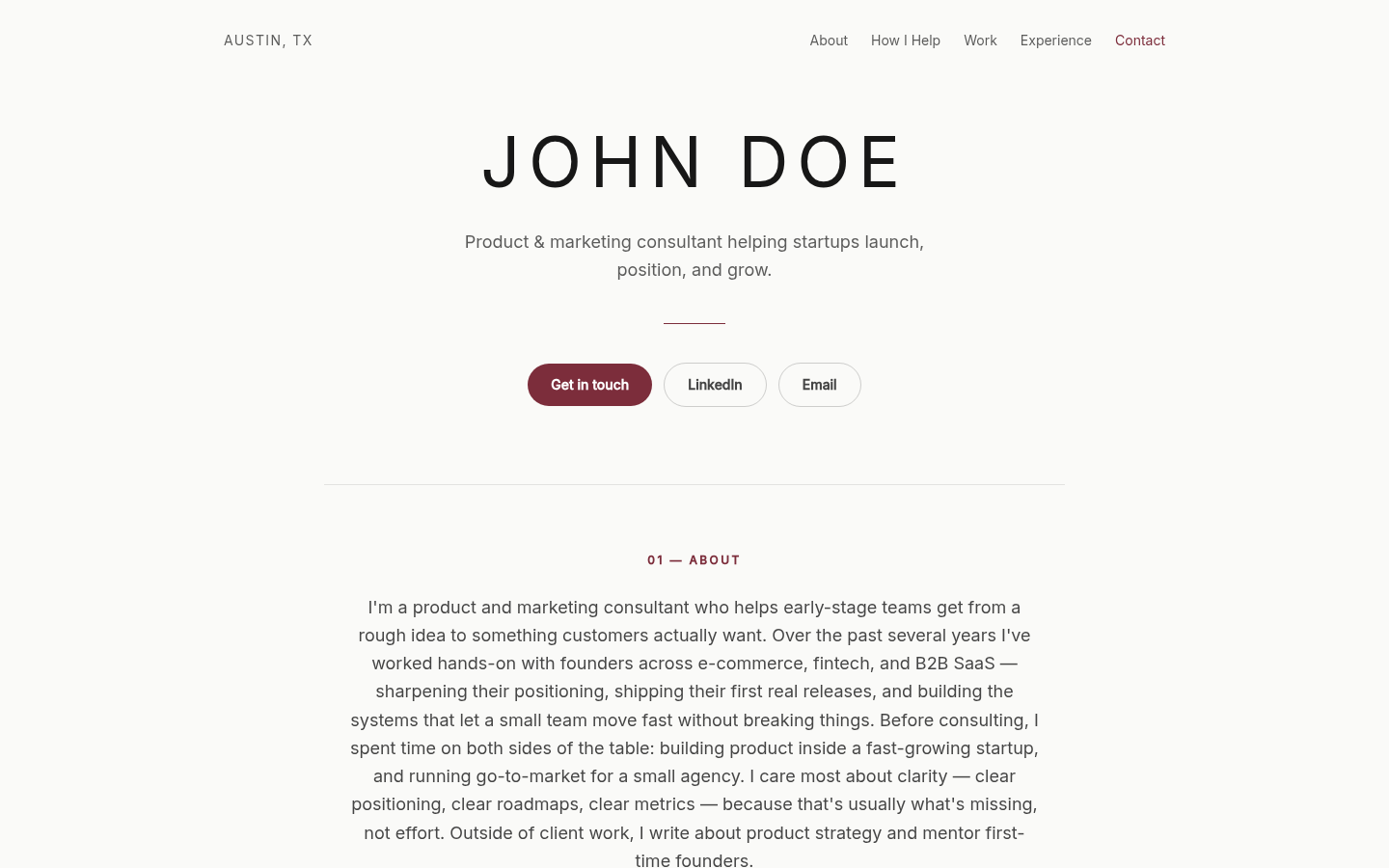
When Storypage is the better fit
Your reader needs the reason to trust the links.
A list of destinations works when your audience already knows you. A new prospect often needs the opposite: a short explanation of what you do, evidence that makes it credible, and a clear way to continue.
A proposal recipient is meeting you for the first time
A project link without context asks the reader to infer why it matters. Storypage can place the service, project, recommendation, and contact path inside one professional story.
Your proof lives in several formats
Roles sit in LinkedIn. Writing sits on publication sites. Work samples live in documents and product pages. Storypage gives those pieces a hierarchy instead of presenting them as equal links.
You want to review the claims before sharing
The generated site stays private while you edit it. Saving a draft does not publish it. That boundary matters when the page represents your judgment to a buyer or hiring team.
When Linktree is the better fit
Keep Linktree when routing is the product.
Linktree has a broader set of audience and creator tools than Storypage. That is a real advantage for several jobs.
A Linktree can also remain the right front door even if you build a separate professional site. Use the bio link for fast-moving campaigns and creator destinations, then send a prospect to the professional page when the conversation calls for deeper context. The tools do not have to compete for every visitor.
If your one-page site needs custom composition, forms, or embeds, read the Carrd alternative guide. That is a different choice from a social link hub.
SOCIAL AUDIENCE
People arrive from your bio
They may already know your work and want the latest video, newsletter, store, event, podcast, or profile. A compact menu respects that intent.
MANY DESTINATIONS
The links change often
A link hub is useful when you regularly reorder campaigns, new content, launches, and social destinations without rewriting a professional narrative.
AUDIENCE GROWTH
You need subscriptions and analytics
Linktree documents subscriber tools, audience management, and individual-link analytics. Storypage's current focus is the professional page and its contact path.
CREATOR COMMERCE
You sell content or offers
Linktree's official catalog includes digital products and other earning tools, subject to eligibility. Storypage does not provide those commerce tools.
A practical decision test
Picture the visitor before you pick the page.
The strongest Linktree alternative is the one that matches what the visitor still needs to learn. Three questions usually settle it.
- 01
Do they already know you?
An existing social follower may only need routes. A cold prospect may need positioning and proof before any route makes sense.
- 02
Is the choice simple?
If the visitor should pick among many current destinations, use Linktree. If one professional action matters, Storypage can build toward it.
- 03
Where should proof live?
Linktree can route to external proof. Storypage can put services, work, recommendations, experience, and context on the page itself.
What building with Storypage looks like
Turn career material into a page you can question.
Storypage gives you a draft, not a claim you have to accept. The editing and publishing boundary stays yours.
- 01
Provide your LinkedIn PDF
The PDF gives the draft a factual spine: roles, dates, experience, and the professional language you already use. Optional links and context can add detail.
- 02
Check the narrative and proof
Review the headline, About copy, services, selected work, writing, recommendations, experience, skills, links, and contact action. Remove anything unsupported.
- 03
Choose one of eight designs
Change the presentation, colors, image, and visible sections without rebuilding the page from an empty canvas.
- 04
Publish only when it is accurate
The draft remains unavailable to anonymous visitors. Publish when the claims and links are ready, then use the live URL in a proposal, application, or introduction.
Plan the professional page
Decide what your one link needs to prove.
These guides cover the proof and sharing choices around the page.
Compare eight website examples
See how the same professional material changes across Storypage designs.
PROOFPlan a consultant portfolio
Choose work samples that help a buyer understand your judgment.
FORMATCompare a site, LinkedIn, and PDF bio
Pick the format that gives a proposal recipient the missing context.
SHARINGChoose when to share the link
Use the site when it answers a question the proposal does not.
Linktree alternative FAQ
Questions to answer before you switch
What is a good Linktree alternative for an independent professional?
Storypage is a focused option when the page must explain your professional value, show supporting work, and lead to one contact action. Linktree is a stronger option when the visitor needs a quick menu of current destinations. The better choice depends on whether your one link needs to explain or route.
Can Linktree show professional work?
Yes. You can link to a portfolio, case studies, publications, GitHub, LinkedIn, booking pages, and other professional proof. The reader opens those destinations one by one. Storypage differs by giving that proof a visible narrative and hierarchy on the page itself.
Should I replace a Linktree that already works?
No. Keep it if your audience recognizes you, the right destinations are easy to reach, and the profile supports the action you want. Consider a separate Storypage when a buyer or hiring team needs more context than a list of links can carry. You can also use each page for a different audience.
Can I review a Storypage before it is public?
Yes. Your generated page stays private while you review the copy, proof, links, design, colors, and contact action. You decide when to publish it. That matters because AI-generated professional claims should be checked before they represent you publicly.
Give the next prospect the story behind your links.
Build a private draft from your LinkedIn PDF. Review the proof, links, and design before choosing to publish.
Build my private site